In today’s world, it is important to have a good computer for your kids if they are 10+ years old.
From school work to leisure activities like video games and YouTube, almost everything kids need is right on the world wide web. However, finding them a machine is not always easy.
To help determine what desktop computer is best for your family, we’ve broken down the best models in terms of both specs and price.
Let’s jump in and see what makes them so special.
Contents
Who Should Buy This
If you are a parent looking to buy your kids a computer, it’s hard to do better than the following models.
Each one lets them browse the internet, work on their homework, and stream their favorite movies or shows. They are all quite capable, and some are even great at gaming.
The below models are also great options for grandparents to buy and keep at their house. That way, the grandkids have something to use when they come over.
Most provide enough options for seniors as well. Grandpa can check his email with ease, and grandma can look up some amazing recipes for the next family dinner.
Best Desktop Computer for Kids: Our Picks
Below I will break down the top desktops for kids and explain the traits that push the computers over the top.
1. Acer Aspire TC
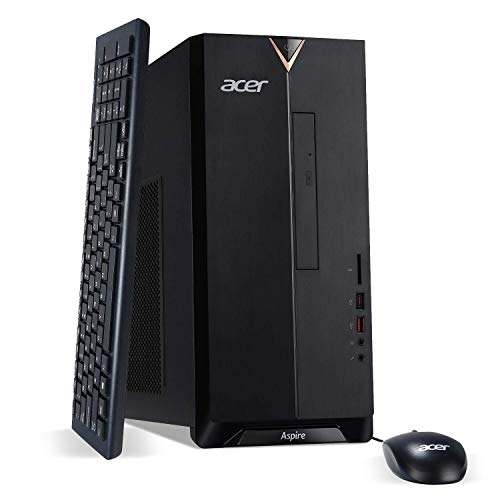

- Best For: Overall
- Key Features: 9th generation Intel Core i3 9100 Processor. 512GB SSD. Affordable price. Ample ports.
- Processor: Intel i3-9100
- Memory: 8GB
- Storage Space: 512GB SSD
The Aspire TC is a solid computer that gives you a lot of power without breaking the bank. Not only does it manage to stay affordable, it comes with 8GB DDR4 memory, 512GB SSD, as well as a slew of different VGA, USB, and HDMI ports. That’s a lot of value in one machine.
The other reason it works so well as a kid’s option is that it has great audio and can be used as either relaxation or school-related device. The keyboard and mouse are both top-notch and the computer has a slick look that all kids will be able to appreciate.
Though it won’t matter to most people, this device doesn’t have a ton of durability in its external shell. That’s important to note if you’re someone with younger kids who might be too rough.
2. CyberPower Gamer Xtreme
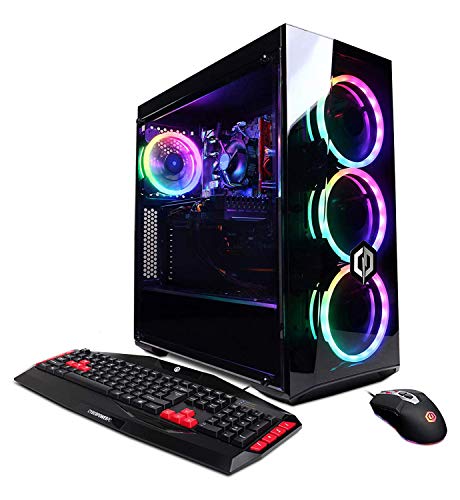

- Best For: Gaming
- Key Features: Core i5 processor. Tactile keyboard and great audio. Nvidia GTX 1660 GPU. Excellent storage.
- Processor: Intel i5-9400F
- Memory: 8GB RAM
- Storage Space: 240GB SSD + 1TB HDD
If your kid enjoys gaming on their computer, the CyberPower Xtreme is a solid choice. Though it doesn’t have the best specs, it still packs a lot of power through the Nvidia GPU and i5 processor. There’s a decent amount of storage too, which adds to the variety.
There are various connectivity options and the gaming keyboard/mouse adds another layer to the entire CPU. It also has a cool look with rainbow colors against a black background, which is sure to be something your kid will love.
The RAM is a bit lacking here, but that’s a rather minor complaint. When it comes to gaming or basic tasks, the computer can do it all.
3. Dell Inspiron 3880
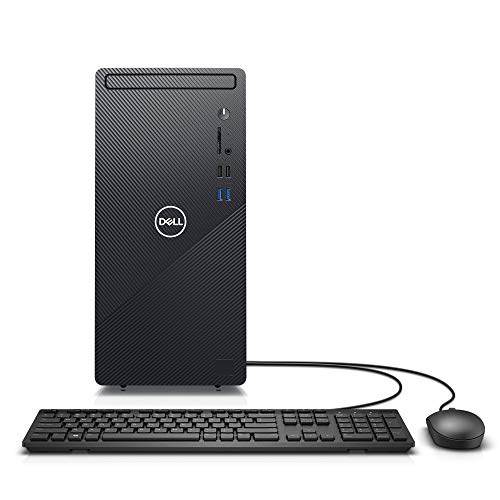

- Best For: Processing Power
- Key Features: Small footprint. Front side media card reader and type A USB ports. Intel UHD graphics. KB 216 keyboard and wired mouse.
- Processor:
- Memory: 12GB
- Storage Space:
Another smaller option perfect for bedrooms or tight desks, the 3880 comes from one of the most reliable computer brands on Earth. Dell is known for quality, and this system provides a ton of different specs inside a modern shell that won’t get in the way.
The Intel UHD graphics are stunning, and the multiple ports provide an extra layer of versatility to the machine. You can expand the power supply, and there’s plenty of memory to go around. You get 2 years of onsite service as well.
Though it won’t affect most people, this computer cannot support a dual-monitor setup. If your kid wants to run two at the same time, it’s best to go with a similar option.
4. HP Pavilion All-in-One


- Best For: Functionality
- Key Features: Strong storage and processing power. All-in-one-design. UHD graphics. HP audio boost.
- Processor: Intel i5-9400T
- Memory: 12GB
- Storage Space: 512GB
This strong computer is a great kid choice because the all-in-one design creates no setup and comes with minimal wires. Rather than fussing with a lot of cords, you just take it out of the box and plug it in. Such simplicity is rare, especially when dealing with higher level computers.
Another great feature is the touchscreen display, which kids will love to use. There are plenty of strong specs, the memory is good, and the audio sounds amazing. That trifecta creates a well-rounded computer that can be used for just about any task.
There’s a good amount of bloatware installed onto the computer when you get it. Though it’s annoying to fully deal with, a bit of work will take it off and allow your kid to make the computer their own.
5. Dell Inspiron Small Desktop


- Best For: Compact
- Key Features: Solid processor
- Processor: Intel Core i5
- Memory: 16GB
- Storage Space: 256 GB SSD + 1TB HDD
This Dell Inspiron is a great choice for kids who want or need a smaller setup. Not only is it on the more affordable side compared to some premium towers, it takes up minimal space. That enables it to easily slot into a bedroom or tiny desk without taking up too much room.
There are a wide range of ports and it comes with 8GB of RAM. You do only get a single HDMI output, but the other USB options more than make up for it. There’s an optical drive and an SD card reader for even more versatility.
The biggest downside with going with a smaller model is the entry level option does have slow storage. However, you can easily upgrade it to better specs if you do desire.
6. HP Pavilion 590


- Best For: Multi-tasking
- Key Features: Powerful processor with good internal storage. Intel UHD graphics. Many external ports and multi-task functionality.
- Processor: Intel Core i5
- Memory: 8GB
- Graphics Coprocessor: Intel Integrated Graphics
When getting a computer for kids, it’s easy to ignore more powerful options in favor of simpler models. However, the HP Pavilion 590 is a more affordable computer that packs a serious punch through the 6 core 8th generation processor and Intel UHD graphics.
That, combined with the ample ports, make it a great choice for kids who like to watch movies, stream shows, or play games. The computer also tends to run cool and doesn’t make a lot of noise either, which is especially when your kids like to work or play for hours on end.
That being said, the keyboard and mouse the computer comes with are both lacking. You may want to upgrade or find something a bit more user friendly down the line.
7. Windows Mini 10 Pro
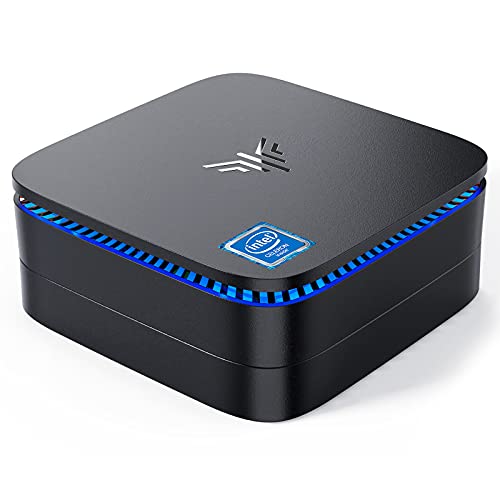

- Best For: Budget
- Key Features: Small-but-sturdy compact design. Easy to mount. Pre installed with Windows 10. Good connectivity.
- Processor: Intel Celeron J3455
- Memory: 8GB
- Storage Space: 128GB
If you want to get your kids a solid computer that won’t break the bank, the Mini 10 Pro delivers. While not technically a desktop design, this small, square-like model fits just about anywhere you could imagine. It’s incredibly responsive and has superior connectivity.
Though some people may be put off by the size, the computer runs Windows 10 and comes with Modern Light features. It even has an empty expansion bay, which enables you to upgrade the system should you want more. There are several great ports too.
The biggest downside here is the fan, which is loud at times. You also aren’t going to get the best specs, but that’s to be expected for a budget model. You’re still getting a great deal for the price.
How to Choose a Desktop for Kids: Things to Consider
Processor
Processing power is the main thing to consider when getting a computer. If the processor is weak or extremely old, your computer will be quite slow.
Make sure you get a decent processor so that using the computer will be less frustrating and more useful.
Memory
The second thing that will make your computer run more smoothly is having adequate amounts of memory.
If you don’t have enough memory the system will start to bog down, which then makes multitasking virtually impossible.
Storage Space
The last thing to consider is your machine’s storage space. For just a homework and video consumption computer, you don’t need a lot of memory.
However, if your kids plan on playing video games or saving pictures, they need better specs.
Final Words
Finding the best kids’ desktop computer is no easy task, but the above options will fit right into any home.
No matter which of the options you choose, we’re certain your kids will love it. Pick the one that fits your budget and needs and everyone in the family will be happy.
Do your kids play games on the computer? Let us know in the comments below!