Students love laptops. They’re convenient, powerful, and fun to use. However, they do come with certain drawbacks like weak battery life or weaker internal components than standard desktops.
As such, if you’re a student or a parent of a student, you need a good desktop computer.
This guide analyzes the best student desktops on the market, explaining their specs, features, and what makes them so special. Let’s jump in and see the best way to improve your schooling experience.
Contents
Who Should Buy This
If you’re the parent of a school-age kid, these desktops are the way to go. Your kids may want one thing, but you know they need the other.
Rather than getting them the computer they say they want, do your research and allow your need and budget to dictate your decision.
These computers are also good for college students. No matter what your budget is, we have included options for each price point to help you get something that works for you.
Best Desktop Computer for Students: Our Picks
This section analyzes the top student laptops by breaking down their niches and traits.
1. Dell Inspiron 3740
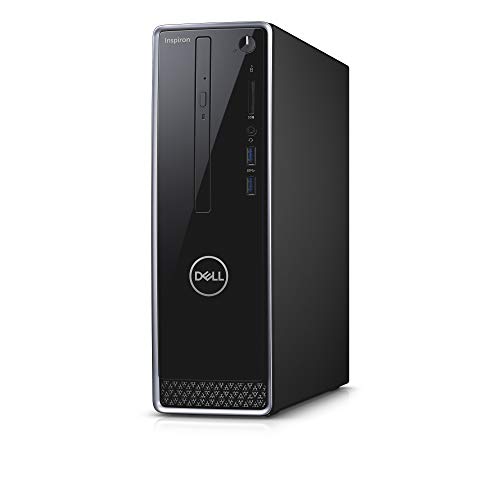

- Best For: Overall
- Key Features: Space saving design. Strong internal processor. Backup storage drive and ample memory. Clean look.
- Memory: 12 GB
- CPU Speed: 4.1 GHz
- CPU Model: Core i5
Students at all levels will greatly enjoy the Inspiron 3740. Coming from Dell, it’s an extremely versatile and well-rounded computer filled with strong specs. The graphics are solid, the internal processor works well for most uses, and you get plenty of memory for your daily tasks.
Another bonus is the space-saving design, allowing you to fit into any room or dorm without any worries about it taking up too much real estate. It’s durable as well. This will last a long time and will be able to persevere through any accidents.
That being said, this option does come with a rather small SSD. Know that you may want to get some external hardware when buying this one.
2. HP ProDesk 405 G4
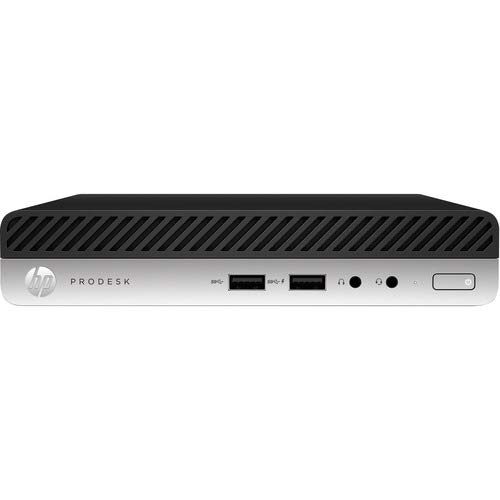

- Best For: Compact
- Key Features: Slim and low profile design. AMD Ryzen 5 processor. 8GB of memory and durable build.
- Memory: 8 GB
- CPU Speed: 3.2 GHz
- CPU Model: Ryzen 5 2600X
If you’re a student who doesn’t have a lot of room or desk space, the ProDesk 405 G4 is a great compact option. This smaller CPU is extremely tiny. As such, you can place it just about anywhere. That makes it especially useful for college students who live in smaller places.
On top of the size, this desktop computer has a good amount of memory, speed, and power. The AMD Ryzen 5 processor pairs wonderfully with the Radeon Vega 11 graphics, while the Windows 10 operating system delivers an impressive amount of functionality.
Just know, with the smaller size does come less storage. An external hard drive, though not necessary, is a good addition to this package.
3. Dell G5 Tower 5090
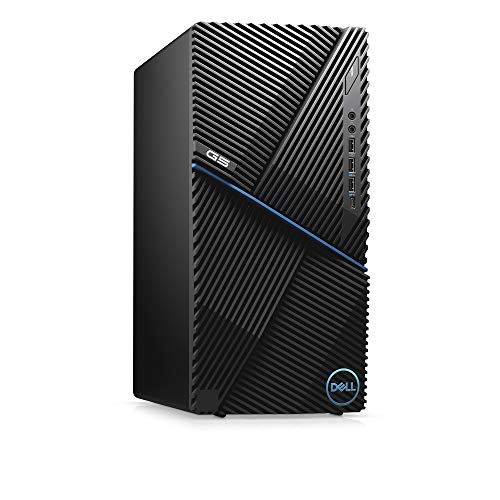

- Best For: Gaming
- Key Features: Intel Core i7 processor. Nvidia GeForce GTX 1660. Multimedia keyboard and optical mouse. Toolless upgradability.
- Memory: 8 GB
- CPU Speed: 4.7 GHz
- CPU Model: Core i7-9700K
Students need to study, but relaxation is an important part of life as well. That is where the G5 Tower 5090 comes in. This Dell model has enough processing speed to run all of your basic tasks and programs, but also contains the power to play a range of fun titles as well.
That versatility makes it perfect for students at every single level, especially ones who like to game in their free time. The Intel processor is incredibly fast, and the Nvidia GTX 1660 GPU is more than enough for all of your graphic needs. You can upgrade it as well.
Be aware that, when running higher-end games, this computer does run hot. It can also be a bit noisy, which is something to keep in mind if you like playing titles with extreme graphics.
4. HP Omen Obelisk
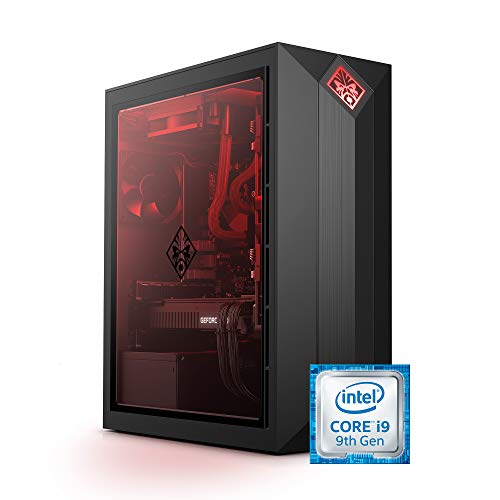

- Best For: Power
- Key Features: Strong Intel i9 processor. Excellent graphics through the Nvidia RTX 2090 Super. 1 TB SSD. Colorful, modern appearance.
- Memory: 32GB
- CPU Speed: 3.6 GHz
- CPU Model: Core i9
The Omen Obelisk is a wonderful option for both high school and college students who can afford a more premium model. Outfitted with an extremely fast Intel i9 processor and packed with an incredible 32GB of RAM, this item can run just about anything you would ever need.
There’s a 1 TB SSD, an extremely strong Nvidia RTX 2080 Super, as well as plenty of memory. That’s a stellar combination regardless of whether you want to watch a movie, play your favorite game, or run a school-related program.
There are ample specs packed into this sleek-looking model, but you are going to pay for them. Some people may be put off by the higher price, especially college students on a budget, but if you can afford a more premium CPU this is a great choice.
5. Apple iMac


- Best For: All-in-One
- Key Features: 7-core GPU. 16-core Neural engine. Immersive 24-inch 4.5K Retina display. Apple M1 chip. Ample features.
- Memory: 8GB
- Weight: 27.1 pounds
- SSD: 512 GB
Students, especially ones in college, searching for a truly complete setup with their desktop will love the iMac. Apple has long been one of the best all-in-one computer makers on the market, and this model follows that trend through its strong audio, powerful specs, and slick look.
The M1 chip works wonderfully with the vibrant colors and 24-inch 4.5K Retina display to bring everything you watch, play, and search to life. It can run all of the programs needed for school and it’s incredibly easy to use.
The only knock against this system, which you’ll find with all Macs, is that it’s not the best for games. If you’re after a computer that can run flashy or big titles, you might want to choose something with more of a focus towards that end.
6. Acer Aspire
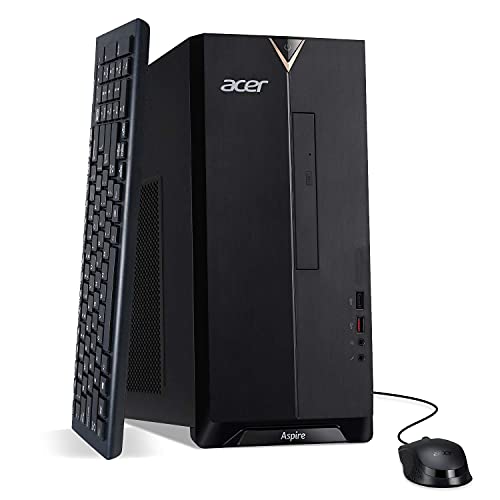

- Best For: High School
- Key Features: Wi-Fi 6 capabilities. 10th generation Intel Core i5 processor. USB keyboard and mouse. Ample storage.
- Memory: 12GB
- CPU Speed: 4.3 GHz
- CPU Model: Core i5-10400
The Aspire is a strong computer from Acer that works perfectly for high school students looking for something that’s both functional and affordable. It won’t break the bank on the price, but has more than enough features to handle daily school work as well as games and web browsing.
This model not only comes with a 10th generation Intel Core i5 processor, it also has excellent dual-band WiFi. It’s easily expandable, which is nice if you like to tinker with your hardware, and the included USB keyboard/mouse combo adds a good amount of versatility.
This model doesn’t come with too many extra bells and whistles. The specs do have a hard ceiling too. However, for a high school student, it has more than enough to meet their needs.
7. Kamrui Mini PC
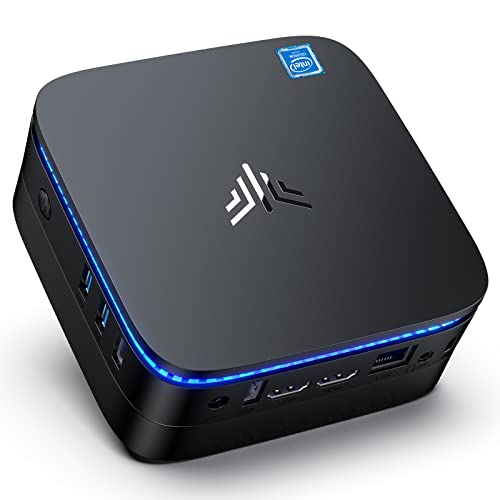

- Best For: Budget
- Key Features: Compact design. Versatile. Intel Pentium processor. 128 GB mSATA SSD. Plenty of ports. Extra accessories.
- Memory: 12 GB
- CPU Speed: 2.6 GHz
- CPU Model: Pentium
There are many great desktop computers on the market, but many of them tend to be expensive. If you’re looking for a more affordable model that works for middle or high school students, the Kamrui Mini is the perfect choice. It’s small, easy to use, and gets the job done.
This model works with most budgets, and fits perfectly into any room. You won’t get a ton of power, but for younger students, it gives them access to the internet, all their favorite websites, and allows them to do school work. It’s a great way to store photos as well.
Just be aware that, while this computer is smaller, it’s on the loud side. Students will hear noise when putting it under some strain. That’s a rather small complaint, however, compared to the other traits.
How to Choose a Desktop Computer for Students
Wether you’re a college student or a parent shopping for a desktop PC for your children, taking the following factors into account, your decision-making will be much easier.
Budget
Always first consider your budget when getting a desktop computer. Some can be pretty pricey, but there are more affordable options out there if you know where to look.
The goal is to find a good balance between budget and performance.
Processor
The main component to take into consideration when looking to buy a computer is the CPU. This is going to be the main aspect that determines just how fast and powerful your computer will be.
If you get a low-end processor, it can bottleneck your system and cause a lot of headaches in the future.
Storage Space
The last big consideration you need to keep in mind is how much storage space you need.
While basic tasks like writing papers in a word processor will take up minimal room, saving photos from your phone or camera and downloading games can use a massive amount of space. Keep all these things in mind when picking out a computer.
Prioritize the highest processor you can get for your budget. That is the most important aspect because it affects your computer’s speed.
Beyond that, look at your computer’s graphics card. If you don’t have a good one, your gaming performance will suffer.
Other Useful Tips
If you choose a desktop computer that doesn’t have a ton of internal storage space, we suggest picking up a high-capacity external drive. This hard drive will plug into a USB port on your computer to expand the internal storage.
You will also need a nice ergonomic mouse and keyboard. That will allow you to do your homework for long periods of time without getting any aches or pains.
If you’re choosing a gaming computer, it may be best to get a nice gaming keyboard and mouse for that as well.
Final Words
Picking out a good desktop PC can be difficult, but we’re confident that the options on this list will last you for years to come.
Remember to stay within your budget, check all the specs to make sure they are good enough to fit your needs, and get a dedicated graphics card if you plan on using it for gaming. As long as you know what you want, you’ll be happy.
Do you plan on gaming from the same desktop computer as you do your school work? Let us know in the comments below!